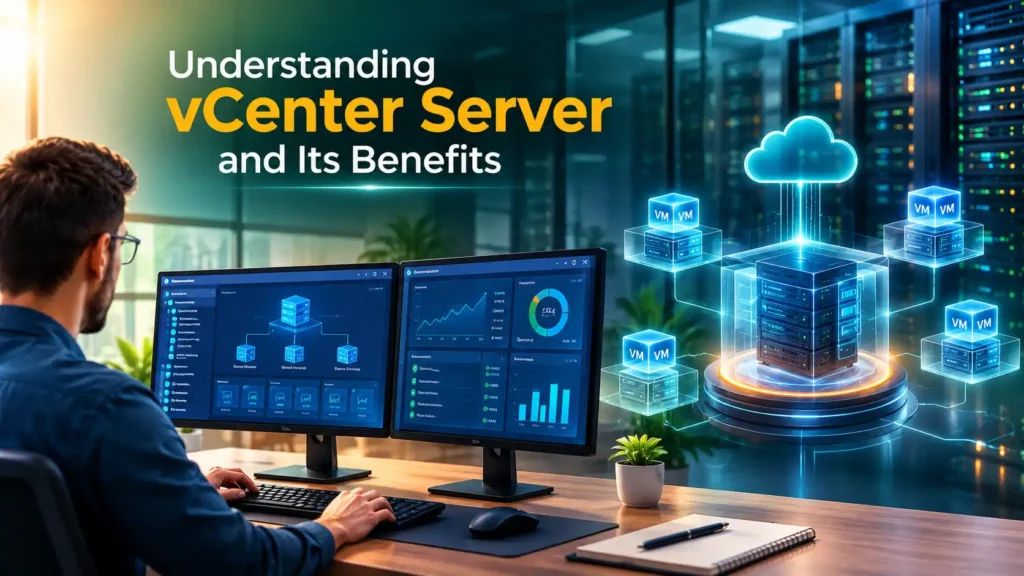
Understanding vCenter Server and Its Benefits
Managing multiple virtual machines and servers can become difficult as an organization’s IT infrastructure grows. Businesses need a centralized solution that makes server management simple, secure,…

Managing multiple virtual machines and servers can become difficult as an organization’s IT infrastructure grows. Businesses need a centralized solution that makes server management simple, secure, and efficient. vCenter Server is one of the most trusted virtualization management platforms used by enterprises worldwide. Whether you are planning a career in virtualization or already working in IT, learning vCenter Training can help you understand how modern data centers operate and how administrators manage thousands of virtual machines from a single console.
As virtualization continues to expand across cloud computing and enterprise environments, professionals with vCenter skills are becoming more valuable. Understanding how vCenter works not only improves your technical knowledge but also increases your career opportunities in system administration, cloud infrastructure, and VMware technologies.
In this blog, we will explore what vCenter Server is, its features, benefits, career opportunities, and why learning it is an excellent investment for your IT career.
What Is vCenter Server?
vCenter Server is VMware’s centralized management platform used to manage multiple ESXi hosts and virtual machines from a single interface. Instead of logging into each server individually, administrators can monitor and manage the complete virtual infrastructure from one dashboard.
It acts as the control center of a VMware environment, helping administrators improve efficiency, automate tasks, and maintain business continuity.
Why Is vCenter Server Important?
As businesses grow, they deploy more virtual machines and physical servers. Managing these systems individually becomes time-consuming and increases the risk of errors.
Using vCenter Server provides centralized management, allowing administrators to:
- Monitor virtual machines
- Manage multiple hosts
- Configure networking
- Allocate storage
- Balance workloads
- Improve infrastructure performance
This centralized approach saves time while improving operational efficiency.
Key Features of vCenter Server
One reason organizations choose vCenter Server is its powerful enterprise features.
Centralized Management
Administrators can manage multiple ESXi hosts from a single interface without accessing each server separately.
vMotion
vMotion allows live migration of virtual machines between physical servers without downtime.
This improves maintenance and business continuity.
High Availability (HA)
If one server fails, virtual machines automatically restart on another available host.
This minimizes downtime and improves service availability.
Distributed Resource Scheduler (DRS)
DRS automatically distributes workloads across servers to improve performance and optimize hardware utilization.
Performance Monitoring
Administrators can monitor CPU, memory, storage, and network performance in real time.
This helps identify problems before they affect users.
Role-Based Access Control
Different administrators can receive different permission levels based on their responsibilities.
This improves security and simplifies administration.
Benefits of Using vCenter Server
Organizations benefit from vCenter Server in many ways.
Some major advantages include:
- Centralized administration
- Better server utilization
- Improved security
- Faster troubleshooting
- Reduced downtime
- Automated management
- Simplified infrastructure monitoring
- Better resource allocation
These benefits make vCenter an essential part of enterprise virtualization.
How vCenter Server Supports Businesses
Modern organizations rely heavily on virtualization.
vCenter Server helps businesses:
- Reduce hardware costs
- Improve infrastructure scalability
- Support cloud environments
- Increase operational efficiency
- Improve disaster recovery
- Simplify server maintenance
As a result, organizations can manage larger infrastructures without increasing administrative complexity.
Who Should Learn vCenter?
Learning vCenter is beneficial for many IT professionals.
This includes:
- System Administrators
- VMware Administrators
- Cloud Engineers
- Infrastructure Engineers
- Technical Support Engineers
- DevOps Professionals
- IT Students
Even beginners can learn virtualization with proper guidance and hands-on practice.
Why Choose vCenter Training?
Professional vCenter Training provides practical knowledge that employers value.
A quality training program usually includes:
- Expert trainers
- Live virtual labs
- Real-world projects
- VMware environment setup
- Interview preparation
- Certification guidance
Hands-on experience makes learning easier and prepares students for enterprise environments.
What You Learn During vCenter Training
A professional vCenter Training program covers essential virtualization topics.
Students typically learn:
- VMware ESXi installation
- vCenter installation
- Virtual machine management
- Cluster configuration
- Storage management
- Virtual networking
- User management
- High Availability
- Distributed Resource Scheduler
- Backup and recovery
Practical exercises strengthen both technical skills and confidence.
Career Opportunities After Learning vCenter
Virtualization professionals remain in high demand.
Career opportunities include:
- VMware Administrator
- System Administrator
- Cloud Engineer
- Infrastructure Engineer
- Virtualization Engineer
- Data Center Administrator
- Technical Support Engineer
Companies actively recruit professionals who understand VMware infrastructure management.
Tips for Beginners
If you are starting your virtualization journey:
- Learn networking basics.
- Understand virtualization concepts.
- Practice installing VMware ESXi.
- Create virtual machines.
- Explore vCenter features.
- Build a small virtual lab.
Daily practice improves your understanding significantly.
Common Mistakes to Avoid
New learners should avoid:
- Skipping practical labs
- Ignoring networking concepts
- Not understanding storage
- Avoiding troubleshooting practice
- Relying only on theory
Practical learning produces better long-term results.
Future Scope of vCenter Server
Virtualization continues to support cloud computing, hybrid infrastructure, and enterprise data centers.
As businesses modernize their IT infrastructure, professionals with vCenter Server expertise will continue to enjoy excellent career opportunities.
Combining virtualization knowledge with cloud technologies creates even greater demand in the job market.
Conclusion
vCenter Server is the heart of VMware virtualization management. It simplifies administration, improves performance, strengthens security, and helps organizations manage complex virtual environments with ease.
If you want to build a successful career in virtualization or cloud computing, enrolling in professional vCenter Training is an excellent choice. With practical experience and continuous learning, you can develop valuable enterprise skills that open doors to rewarding careers in modern IT infrastructure.
Discover more from RealTech IT Academy
Subscribe to get the latest posts sent to your email.