What Is VMware vSphere? A Beginner’s Guide
Virtualization has changed the way businesses use computers and servers. Instead of running one operating system on one physical machine, organizations can run multiple virtual machines…

Virtualization has changed the way businesses use computers and servers. Instead of running one operating system on one physical machine, organizations can run multiple virtual machines on a single server. This approach saves money, improves efficiency, and makes IT management easier.
One of the most trusted virtualization platforms is VMware vSphere. Whether you are a student, an IT beginner, or someone planning to build a career in cloud computing, understanding vSphere is a good first step. Many companies look for professionals with virtualization skills, making VMware knowledge valuable in today’s IT industry.
If you want to start a career in virtualization, enrolling in VMware training in Hyderabad or joining professional VMware Classes can help you gain practical skills and industry-recognized knowledge.
In this beginner-friendly guide, you will learn what VMware vSphere is, how it works, its components, benefits, career opportunities, and why learning it can open doors to IT jobs.
What Is VMware vSphere?
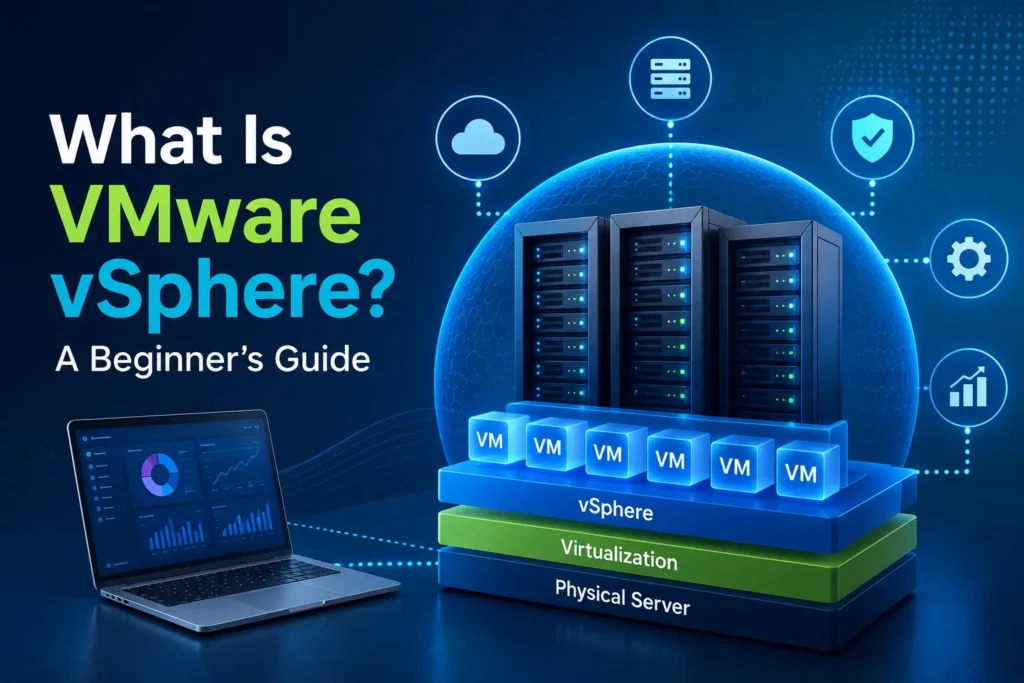
VMware vSphere is a server virtualization platform that lets multiple virtual machines (VMs) run on one physical server. It helps organizations use hardware resources more effectively while lowering operational costs.
Instead of buying several physical servers, businesses can create multiple virtual servers with vSphere. Each virtual machine operates independently with its own operating system, applications, and storage.
Today, thousands of companies worldwide use VMware technologies to manage their data centers and private cloud environments.
Why Is VMware vSphere Important?
Modern businesses need flexible, scalable, and reliable IT infrastructure. Traditional physical servers often waste resources because they do not operate at full capacity.
With VMware vSphere, organizations can:
- Use hardware more effectively
- Reduce infrastructure costs
- Increase server performance
- Make server management easier
- Enhance business continuity
- Support cloud computing environments
These benefits make VMware one of the top virtualization technologies used by businesses worldwide.
Key Components of VMware vSphere
Understanding the main components helps beginners learn virtualization more easily.
ESXi Hypervisor
VMware ESXi is the hypervisor that installs directly on physical hardware.
Its responsibilities include:
- Creating virtual machines
- Allocating CPU resources
- Managing memory
- Handling storage
- Controlling networking
The hypervisor acts as the foundation of every virtual environment.
vCenter Server
vCenter Server is the centralized management platform.
Administrators use it to:
- Manage multiple ESXi hosts
- Monitor virtual machines
- Configure storage
- Control networking
- Perform migrations
- Automate tasks
Together, ESXi and vCenter form the core of the VMware vSphere platform.
How Does VMware vSphere Work?
The virtualization process is simple.
First, the ESXi hypervisor installs on a physical server.
Next, virtual machines are created using available hardware resources such as:
- CPU
- Memory
- Storage
- Network adapters
Each virtual machine behaves like an independent computer.
Because several virtual machines share one physical server, businesses save hardware costs while improving efficiency.
Features of VMware vSphere
The popularity of VMware comes from its powerful enterprise features.
Some important capabilities include:
High Availability (HA)
If one physical server fails, virtual machines automatically restart on another available server.
vMotion
vMotion allows live migration of virtual machines between servers without downtime.
Distributed Resource Scheduler (DRS)
DRS automatically balances workloads across multiple servers for better performance.
Storage vMotion
This feature moves virtual machine storage between different storage devices without interrupting operations.
Snapshots
Snapshots allow administrators to capture the current state of a virtual machine before making changes.
These features improve business continuity and simplify infrastructure management.
Benefits of Learning VMware
Learning VMware provides several career and technical advantages.
These include:
- High industry demand
- Better job opportunities
- Higher salary potential
- Cloud computing knowledge
- Data center management skills
- Enterprise infrastructure experience
Many organizations prefer professionals who understand virtualization technologies.
Who Should Learn VMware?
VMware is suitable for:
- Fresh graduates
- IT students
- System administrators
- Network engineers
- Cloud engineers
- Technical support professionals
- DevOps beginners
Even individuals with basic computer knowledge can begin learning virtualization through structured VMware Classes.
Career Opportunities After Learning VMware
Virtualization skills are valuable across multiple industries.
Popular job roles include:
- VMware Administrator
- System Administrator
- Infrastructure Engineer
- Cloud Engineer
- Virtualization Engineer
- Technical Support Engineer
- Data Center Engineer
As businesses continue adopting virtualization and cloud technologies, demand for VMware professionals continues to grow.
Why Choose VMware Training in Hyderabad?
Hyderabad has become one of India’s leading technology hubs.
Choosing VMware training in Hyderabad offers several benefits.
These include:
- Experienced trainers
- Hands-on lab practice
- Industry-oriented curriculum
- Real-time projects
- Certification guidance
- Placement assistance
- Affordable training options
Practical learning helps students understand virtualization concepts much more effectively than theory alone.
Importance of Hands-On Practice
Virtualization is a practical technology.
Reading books alone is not enough.
Good VMware Classes provide:
- Live server setup
- Virtual machine creation
- ESXi installation
- vCenter configuration
- Networking practice
- Storage management
- Troubleshooting exercises
Hands-on practice builds confidence and prepares students for real-world IT environments.
VMware Certification
VMware certifications validate your technical skills.
Popular certification paths include:
- VMware Certified Technical Associate (VCTA)
- VMware Certified Professional (VCP)
- VMware Advanced Professional (VCAP)
These certifications improve your resume and increase career opportunities.
Many students begin certification preparation after completing VMware training in Hyderabad.
Tips for Beginners Learning VMware
If you are starting your virtualization journey, follow these simple tips:
- Learn basic networking concepts.
- Understand operating systems.
- Practice creating virtual machines.
- Build a small home lab.
- Watch technical demonstrations.
- Read VMware documentation.
- Practice troubleshooting regularly.
Consistent practice helps build stronger technical skills.
Common Mistakes Beginners Should Avoid
New learners often make avoidable mistakes.
Try to avoid:
- Ignoring networking basics
- Memorizing without practice
- Skipping lab sessions
- Avoiding troubleshooting
- Not learning storage concepts
- Rushing into advanced topics
Learning step by step leads to better long-term understanding.
Future Scope of VMware
Virtualization continues to play an important role in cloud computing, hybrid infrastructure, disaster recovery, and enterprise IT.
Many organizations continue using VMware solutions because they provide:
- Reliable infrastructure
- Strong security
- Better scalability
- Easy management
- Excellent performance
As cloud technologies evolve, VMware professionals will remain in demand across various industries.
Conclusion
VMware vSphere is one of the world’s leading virtualization platforms and an essential technology for modern IT infrastructure. It helps organizations improve efficiency, reduce hardware costs, and simplify server management.
For beginners who want to build a successful IT career, learning VMware is an excellent investment. Joining professional VMware training in Hyderabad and attending practical VMware Classes can provide the knowledge, hands-on experience, and confidence needed to work in virtualization, cloud computing, and enterprise infrastructure. With continuous learning and regular practice, you can build a rewarding career in one of today’s fastest-growing technology domains.
Discover more from RealTech IT Academy
Subscribe to get the latest posts sent to your email.