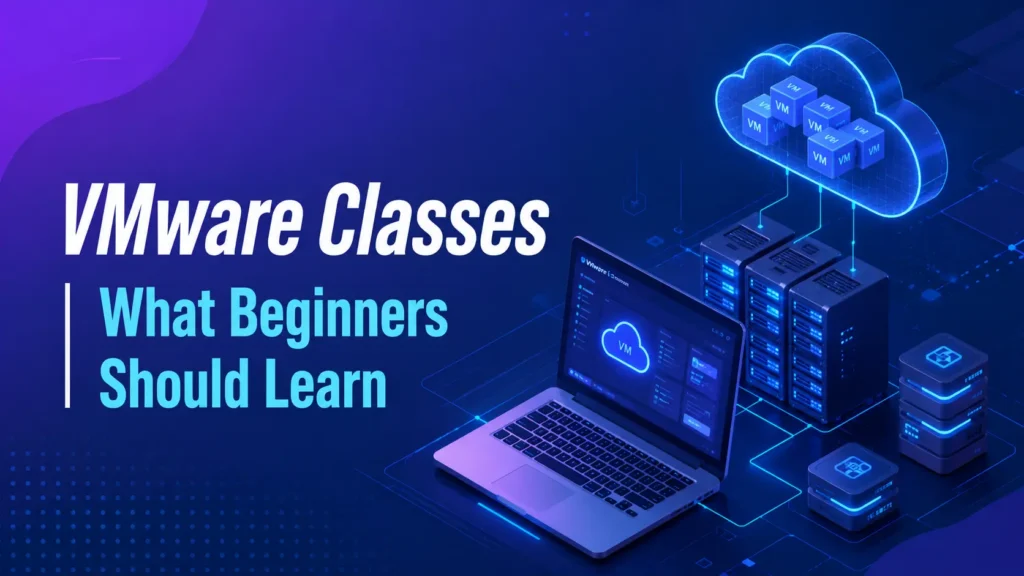
VMware Classes | What Beginners Should Learn
Starting a career in IT can be confusing when you are not sure which technology to learn first. VMware Classes can be a good starting point…

Starting a career in IT can be confusing when you are not sure which technology to learn first. VMware Classes can be a good starting point for people who want to understand virtualization and server infrastructure. VMware is widely used in many IT environments, so learning its basic concepts can help beginners build useful technical skills.
You do not need to learn everything about VMware on the first day. It is better to start with the basics, practice them regularly, and slowly move toward advanced topics. With the right learning approach, VMware can become easier to understand and more interesting to work with.
What Is VMware?
VMware is a virtualization technology that allows multiple virtual machines to run on a single physical server. Each virtual machine can have its own operating system, applications, memory, storage, and network settings.
For example, instead of buying separate physical servers for different applications, a company can use one powerful physical server and create several virtual machines on it. This helps organizations use their hardware more efficiently.
Beginners taking VMware Classes should first understand the difference between physical servers and virtual machines. This basic knowledge makes other VMware topics much easier to follow.
Why Should Beginners Learn VMware?
Virtualization is an important part of modern IT infrastructure. Businesses use virtual machines for applications, testing, development, backup environments, and many other workloads.
Learning VMware can also help beginners understand how different parts of IT infrastructure work together. You will learn about servers, storage, networking, operating systems, and resource management.
A Good Foundation for IT Careers
VMware knowledge can be useful for people interested in server administration, system administration, virtualization, and data center support.
It also works well with other IT skills. Once you understand VMware, you can continue learning areas such as Linux, Windows Server, networking, cloud computing, and cybersecurity.
Important VMware Topics Beginners Should Learn
A beginner should follow a clear learning path instead of jumping directly into advanced features. The following topics provide a strong foundation.
Virtualization Basics
Virtualization is the first concept you should understand. It explains how one physical server can provide resources to multiple virtual machines.
You should learn about virtual CPUs, virtual memory, virtual disks, and virtual network adapters. It is also useful to understand how the hypervisor connects virtual machines with the physical hardware.
ESXi
ESXi is one of the most important VMware technologies. It works as a hypervisor and allows virtual machines to run on physical servers.
Beginners should learn how to install and configure an ESXi host, create virtual machines, assign resources, configure networking, and manage storage.
Hands-on practice is especially important at this stage. Performing these tasks yourself will help you understand how a real VMware environment works.
Virtual Machine Management
Virtual machines are at the center of a VMware environment. Beginners should know how to create, configure, start, stop, restart, and remove virtual machines.
You should also understand virtual hardware settings. Giving a virtual machine the right amount of CPU, memory, and storage can have a direct effect on its performance.
Understanding vCenter Server
After learning the basics of ESXi and virtual machines, the next important topic is vCenter Server.
vCenter provides centralized management for VMware environments. Instead of managing every host separately, administrators can use vCenter to manage multiple hosts and virtual machines from one place.
A good VMware administrator course should cover vCenter along with practical exercises.
Why vCenter Is Important
Managing one ESXi host may be simple. However, a company may have many servers and hundreds of virtual machines. Managing all of them separately can become difficult.
vCenter makes centralized management easier. Beginners should learn how to add hosts, organize virtual machines, monitor resources, and perform common administrative tasks.
VMware Networking Basics
Networking is another important area for anyone learning VMware. A virtual machine needs a network connection to communicate with users, applications, and other servers.
Beginners should understand virtual switches, port groups, virtual network adapters, and physical network adapters.
Basic networking knowledge can make VMware much easier to understand. Concepts such as IP addresses, DNS, VLANs, and routing are also useful.
Practice Common Network Tasks
A training lab can help you understand how virtual networking works. You can create a virtual network, connect a virtual machine to it, and test its connectivity.
You can also practice troubleshooting simple problems, such as a disconnected network adapter or an incorrect port group configuration.
VMware Storage Fundamentals
Storage is another major part of virtualization. Virtual machines need storage for their operating systems, applications, and data.
Beginners should understand datastores and learn the difference between local and shared storage.
A practical VMware administrator course should provide exercises that show how virtual machines use storage and how administrators monitor available space.
Understanding Datastores
A datastore provides storage for virtual machine files. Administrators need to keep an eye on datastore capacity because running out of storage can cause serious problems.
Beginners should learn how to check available space, identify storage usage, and understand how virtual machine files are stored.
Resource Management and Performance
One of the benefits of virtualization is that multiple workloads can share the resources of a physical server. However, administrators need to make sure resources are properly managed.
You should learn how CPU, memory, storage, and network resources are used by virtual machines.
For example, a virtual machine may become slow because it does not have enough resources. High storage activity or heavy workloads can also affect performance.
Learning basic monitoring and troubleshooting can help beginners become more confident VMware administrators.
Snapshots and Cloning
Snapshots and cloning are two useful VMware features that beginners should understand.
A snapshot saves the state of a virtual machine at a particular point in time. It can be useful before certain testing or configuration changes. However, snapshots should not be treated as long-term backups.
Cloning creates a copy of an existing virtual machine. It can be useful when you need to create similar virtual machines for testing or other purposes.
Understanding when and why to use these features is more important than simply knowing how to click through the options.
High Availability and vMotion
Once you understand the basic VMware environment, you can start exploring features such as High Availability and vMotion.
High Availability helps improve workload availability in a properly configured cluster. If a host fails, affected virtual machines can be restarted on another available host.
vMotion allows supported virtual machines to move between hosts with minimal interruption when the required conditions are met.
These features show how VMware can help organizations build flexible and reliable IT environments.
Why Hands-On Practice Matters
Reading about VMware is useful, but practical experience makes a big difference. You can understand a concept from a book or video, but working with a real lab helps you remember it.
Try creating your own small VMware environment and practice different tasks.
Useful Lab Exercises
- Create and configure virtual machines.
- Practice basic ESXi host administration.
- Configure virtual networks and port groups.
- Create and manage datastores.
- Practice snapshots and virtual machine cloning.
You can also intentionally create simple configuration problems and try to fix them. This is a good way to develop troubleshooting skills.
Skills You Can Develop Through VMware Training
Learning VMware can help you develop several practical infrastructure skills.
- Virtual machine administration
- ESXi host management
- vCenter Server administration
- Virtual networking
- Virtual storage management
- Resource monitoring
- Basic troubleshooting
These skills can also support learning in related areas such as Windows Server, Linux administration, cloud platforms, and data center technologies.
How VMware Classes Can Help Beginners
Learning VMware on your own is possible, but beginners can sometimes struggle because there are many topics to understand. VMware Classes can provide a structured learning path and help you learn each topic in the right order.
Good training should combine theory with hands-on practice. Instead of only watching demonstrations, students should get opportunities to perform tasks themselves.
What to Look for in a Training Program
Before choosing a training program, check whether it covers important topics such as:
- Virtualization fundamentals
- ESXi
- vCenter Server
- Virtual machines
- Networking
- Storage
- Resource management
- Troubleshooting
Practical labs, instructor support, real-world scenarios, and interview preparation can also make a training program more useful.
Career Opportunities After Learning VMware
VMware skills can be useful for people who want to build a career in IT infrastructure.
Depending on your experience and other technical skills, you can explore roles such as system administrator, server administrator, virtualization administrator, infrastructure administrator, and data center support professional.
A VMware administrator course can help you build the foundation needed for these roles. However, VMware should not be your only skill. Combining virtualization knowledge with networking, operating systems, cloud, and troubleshooting can make your profile stronger.
Tips for Beginners Learning VMware
Do not try to learn every VMware feature immediately. Start with the basics and spend time practicing.
- Understand virtualization before moving to advanced topics.
- Practice every major concept in a lab.
- Learn networking and storage alongside VMware.
- Keep notes about common errors and solutions.
- Spend time troubleshooting instead of only following tutorials.
Regular practice is more valuable than trying to finish a large number of topics quickly.
Conclusion
VMware is an important technology for anyone interested in virtualization and IT infrastructure. Beginners can start by learning virtualization fundamentals, ESXi, virtual machines, networking, storage, vCenter Server, and basic troubleshooting.
VMware Classes can provide a structured way to learn these concepts, while hands-on practice helps turn that knowledge into practical skills. A good VMware administrator course can also help learners understand real-world administration and troubleshooting.
For those who want to continue developing their virtualization skills, vsphere training can help them explore VMware environments in greater depth. With consistent practice and a strong understanding of the basics, beginners can build a solid foundation for a career in IT infrastructure.
Discover more from RealTech IT Academy
Subscribe to get the latest posts sent to your email.